
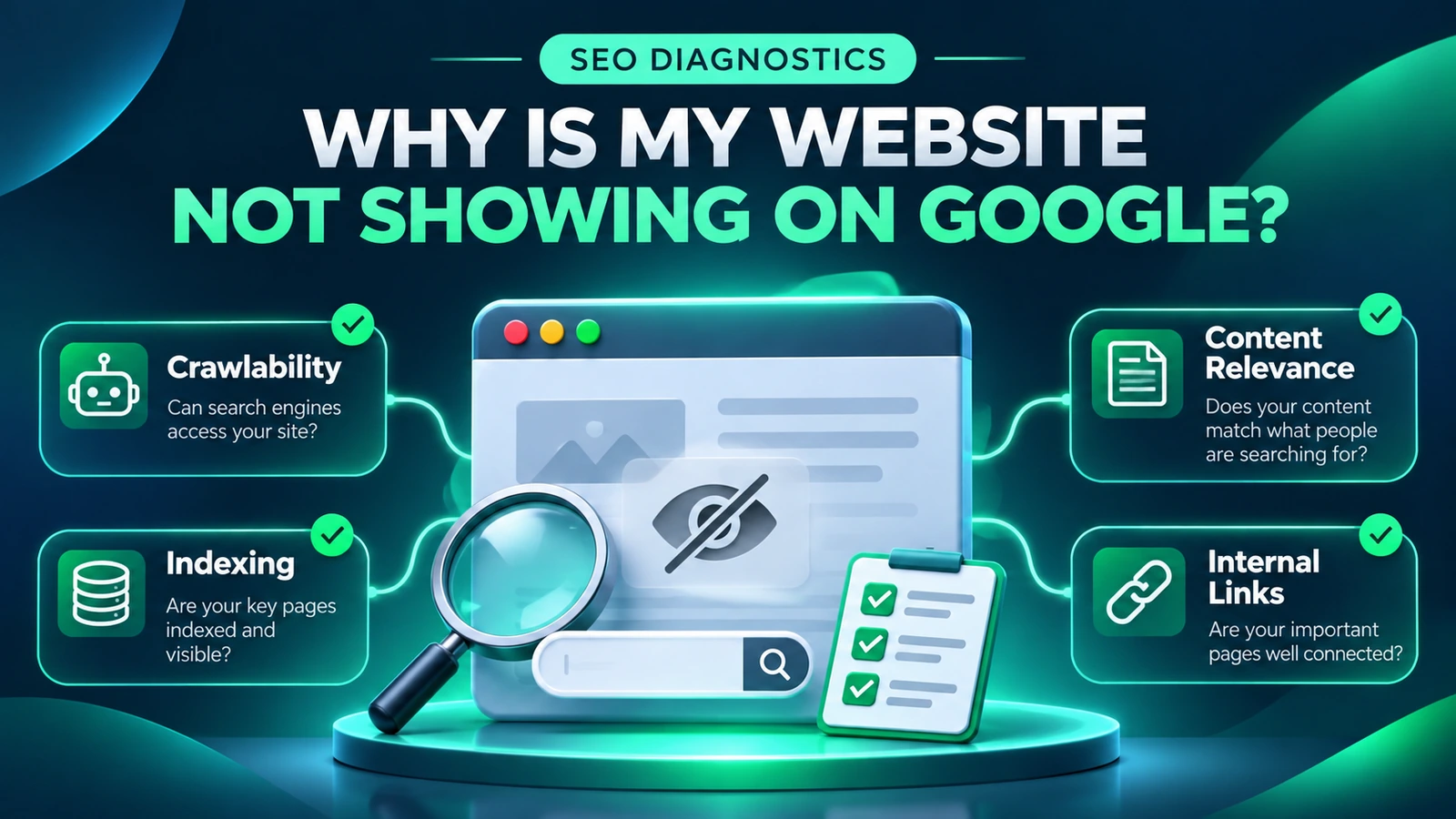
Why Is My Website Not Showing on Google? A Practical Diagnosis Before Spending More on SEO
Your website is live, the company name is on the page, and you may even be publishing helpful articles. Yet when you search Google for the service you sell, your site is nowhere near the results you expect. It is tempting to conclude that Google does not know about the website, that the site needs a complete redesign, or that the only solution is to buy more SEO content. Those conclusions can be expensive because they describe very different problems as though they were the same.
A useful diagnosis begins with a narrower question: is the important page eligible to appear in Google at all, or is it indexed but not performing for the searches that matter? A third possibility is that the page attracts impressions for the wrong questions. The right fix depends on which situation the evidence supports. This guide walks a business owner through the checks in a sensible order, with an emphasis on Egyptian service businesses but principles that apply much more broadly. It is a process for making decisions, not a promise of a particular Google ranking.
First establish whether the page is indexed or simply ranking poorly
Indexing and ranking are not the same event. Indexing means that Google has discovered and processed a URL and may consider it eligible for search results. Ranking concerns where that page appears for a particular query at a particular time. A page can be indexed and still rank far below the results you are checking. It may also appear for your brand but not for an unbranded service phrase. Search results vary by location, language, device and the intent Google interprets from a query, so a single manual search is not a complete diagnostic report.
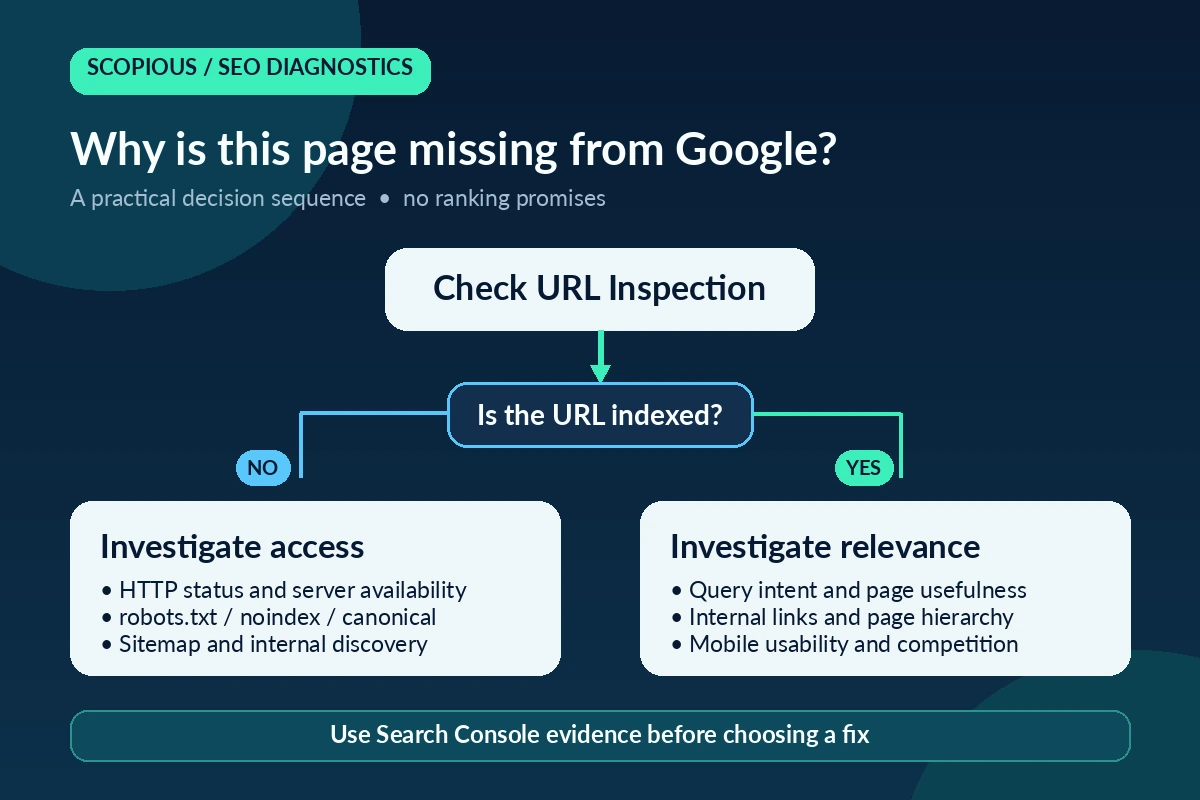
Start with one commercially important URL, not the entire website. If you have access to Google Search Console, inspect the full URL in the URL Inspection tool. Review the indexed status, the declared and selected canonical where available, and any relevant crawl information. Google’s official URL Inspection documentation explains the purpose and limitations of those reports. An available live test is useful for checking access now, but passing it does not guarantee that the URL will be indexed later.
Searching Google with the operator site:example.com can provide a rough clue, but it is not a complete inventory of indexed pages. Do not use the number of results in that search to calculate your site’s total indexed URLs. If the page is indexed, shift your attention from emergency technical changes to search intent, relevance and competition. If it is not indexed, check the specific reason before requesting indexing again.
Use Search Console to locate the problem rather than guessing
Open the Performance report and choose a meaningful observation period. Filter by the page you care about and inspect its queries, clicks, impressions, average position, countries and devices. A service page with impressions for relevant business phrases needs a different response from a page attracting searches for jobs, course materials or definitions. Impression counts describe opportunities to be seen; they are not visits, enquiries or sales.
Treat average position carefully. It combines different searches and contexts rather than representing a fixed ranking that every visitor sees. Likewise, a page with no rows in a narrowly filtered report is not automatically under a penalty or excluded from the index. The date range, reporting thresholds, demand and page age all matter. Check the URL’s indexing status separately and compare reporting windows before drawing a conclusion.
For a useful business decision, place the search data beside any trustworthy enquiry data you already collect. A few relevant requests to buy or obtain a quotation can be more valuable than many visits from people seeking employment. If lead quality is not currently measured, record that limitation rather than assuming every click has equal commercial value.
Check noindex before ordering content or a redesign
A noindex directive tells search engines not to include a page in their indexes. It can be correct for account areas, internal results and other pages you deliberately want excluded. It is a serious issue if an important public service page carries that instruction by mistake. The problem can follow a staging-to-production migration, a copied page template or a change made in an SEO plugin.
In WordPress, review the global search visibility setting, the page-level SEO settings and the actual response served to a visitor. A page may appear indexable in an editor yet expose a different instruction through its HTML or an HTTP header. Record which source provides the directive, when it changed and whether multiple plugins or the server could be influencing it. Do not simply remove noindex from every URL: some pages have sound reasons to stay private from search.
Even after fixing an accidental directive, indexing and ranking are not immediate. Search engines need to recrawl and reassess the page. Save the original settings, make the smallest justified change and monitor the URL. Repeated requests for indexing are not a substitute for resolving the underlying cause.
Understand what robots.txt can and cannot do
The robots.txt file controls which areas a compliant crawler may request; it is not a universal switch that makes every page appear or disappear in search. Blocking a directory containing a critical service page can prevent normal crawling, while excluding administrative paths may be completely appropriate. A crawler can sometimes know about a blocked URL through links even when it cannot read that URL’s content, so crawl control and indexing control must be distinguished.
Read the site’s /robots.txt file and compare its rules with the actual location of priority pages. A broad disallow directive introduced during development can accidentally reach production. Before changing it, identify whether the affected paths contain public services, accounts, search results or private information. A change that fixes one page while exposing sensitive areas would not be a sound improvement.
If your organisation uses staging and production environments, document which settings belong to each. Treat technical configuration as part of release quality assurance: every move, major plugin update or server change should include a short crawlability check. Otherwise you may discover a configuration mistake only after weeks of weak search performance.
Review the XML sitemap as a discovery aid, not a guarantee
An XML sitemap helps search engines discover the URLs you consider important. Submitting a sitemap does not require Google to index every listed page, and a valid sitemap cannot compensate for a poor landing page, a blocking directive or an unsuitable canonical signal. Its value is in providing a current, consistent list of intended content.
Confirm that the sitemap is reachable and that its important URLs are the versions you want visitors to open. Look for deleted pages, unnecessary redirects, non-indexable pages and outdated variants. If WordPress or Rank Math generates the sitemap, inspect the live output rather than assuming the plugin’s settings match what is publicly served.
Do not recreate the sitemap every time a page performs poorly. First check whether there is a concrete discrepancy. Newly published pages also need useful internal links from existing published content. Discovery through links and an intelligible site structure supports both visitors and crawlers in ways a sitemap alone cannot.
Canonical tags and similar pages need careful decisions
Some websites accumulate several addresses that describe nearly the same offer: an old page with a -2 suffix, a duplicate service guide, or a filtered URL that repeats much of the original content. A canonical tag indicates a preferred version, but it is a signal rather than an absolute command. Where available, Search Console may show that Google selected a different canonical from the one you declared.
Similarity alone is not enough to justify deleting or redirecting a page. Two guides may share terminology yet answer different questions: one might explain how an agency works, while another helps a buyer compare providers. Review the full content, search queries, internal links, backlinks if verified, and the commercial role of each URL. If the topics genuinely overlap, first determine whether clearer differentiation would be more useful than consolidation.
For example, a guide on choosing an SEO agency in Egypt can serve a different need from an explanation of how to compare SEO companies. Do not change canonicals or create blanket redirects without a documented mapping and a plan to test the destination.
Investigate 404 errors and redirects without hiding the problem
A broken link can appear after an article moves, a campaign page is removed or a website is rebuilt. Old addresses may still be requested by customers, search engines and websites that link to them. Start by checking whether the old URL had a genuinely relevant replacement, then inspect the route a visitor currently follows.
A permanent 301 redirect is useful when a page has genuinely moved to another equivalent or strongly related address. Redirecting every broken URL to the homepage, however, makes the journey confusing and can hide valuable diagnostic evidence. Some removed pages legitimately return 404, especially when the content is intentionally gone and no comparable destination exists.
Inventory internal links that still point to a broken address and repair them at their source. Also check for chains in which one redirect leads to another several times. Keep a record of what changed and why. A clear history is particularly important when WordPress plugins, the theme and the server can all implement redirects independently.
Once technical access is sound, inspect search intent and page titles
An indexed page may underperform because it answers the wrong question. Imagine a visitor searching for an SEO service supplier and landing on an article that spends most of its first screen explaining what search engines are. The topic is related, but the page may not help the visitor compare services, understand a likely scope or make a decision. More words cannot fix a mismatch between content and intention.
Read the title and introduction as someone unfamiliar with the company. Are the service, audience and value proposition clear? Does the content explain the work, common limitations, expected process and questions to ask before buying? Avoid calling your company the best or promising first place without evidence. Strong information and an obvious next step are more credible than unsupported superlatives.
The published title, visible H1 and SEO title can have different roles, but they should describe the same page honestly. Do not rewrite a working title solely to force an exact keyword into a plugin score. Compare the actual queries in Search Console and the language visitors use before deciding that a change is worthwhile.
Check whether internal links help people find the service
A page can be perfectly indexable and still be difficult to discover through the site. If visitors must search manually for a service because it is absent from navigation, category pages and related guides, the website is not presenting a coherent path. Internal links can clarify how articles, services, case studies and contact pages fit together.
Choose relevant published destinations and write descriptive anchor text. A practical guide on indexing may naturally lead to digital marketing services when the reader wants professional help, or to a different technical guide when they want to continue learning. Do not add the same link repeatedly just to increase a count in an audit tool.
Verify that each destination loads correctly, is in the appropriate language and addresses the promised subject. Links to drafts and irrelevant redirects frustrate users. Organise clusters around genuine questions: diagnosis, options, service selection and measurement. A useful cluster is easier to maintain than a long list of superficially connected articles.
Mobile usability and speed are part of the diagnosis
People often meet a service business on a mobile device. Even when the page is indexed, small text, shifting elements, a menu that covers the content or a contact form that is hard to finish can prevent a useful enquiry. These problems are not all ranking factors in the same way, but they directly affect whether a visitor can use the page.
Test the website with a real phone as well as a performance tool. Confirm that the main heading is readable, buttons are tappable, images do not interrupt the layout and key information appears without excessive scrolling. Where performance metrics are available, examine them in context rather than treating a single synthetic score as a complete user-experience verdict.
Before buying more traffic, make sure the destination is ready to receive it. A campaign that drives visitors to a confusing page can waste money regardless of the channel. In some cases, a concise explanation of the offer and a simpler enquiry process will matter more than another new article.
Should you refresh old content or commission a new article?
Publishing is not a substitute for maintenance. An older guide may have useful history, relevant queries or internal links but contain outdated examples, repeated claims or a weak introduction. Check what is already receiving impressions and how that page serves readers before ordering a competing article on the same topic.
A content refresh can clarify the audience, replace obsolete details, improve sources, add practical decision criteria and repair links. Keep the useful parts rather than shortening an existing guide without reason. Where an article’s core intent is already covered well elsewhere, document the overlap and make a deliberate choice. Avoid merging or redirecting merely because two headlines sound alike.
Use change logs and backups. If a modification is followed by a change in visibility, remember that correlation is not proof of causation: competition, demand and Google systems may also change. Compare meaningful periods and preserve the evidence behind the editorial decision.
Structured data is useful, but not a magic visibility switch
Schema markup can help search engines understand that a page is an article, a service description or another supported content type. That does not guarantee a rich result or a higher ranking. Markup must accurately reflect information visitors can see, and it should not invent ratings, authors, qualifications, prices or customer outcomes.
Before adding new JSON-LD, examine what the theme and SEO plugin already produce. Duplicate or inconsistent markup can introduce uncertainty rather than clarity. Check whether the appropriate structured data is present, valid and consistent with the page’s title, author and organisation details. Correct factual inconsistencies at their source instead of stacking extra snippets of code.
For a business offering services, trustworthy contact details, clear descriptions and well-supported claims are more important than trying to trigger a rich-result feature the page is not eligible for. Validate changes with appropriate tools and record the test date.
A practical diagnostic sequence for an important page
Use the following order to avoid making several changes before you understand the problem. First, identify the exact URL and the commercial query or enquiry it is intended to support. Second, inspect the URL in Search Console and separately verify what the live page serves. Third, compare indexability signals: HTTP response, robots directives, canonical and relevant sitemap inclusion. Fourth, examine Search Console queries, countries, devices and performance windows.
Fifth, read the page as a customer. Confirm that the title, introduction and detailed content meet the search intent. Sixth, inspect internal links and the real mobile journey to contact. Seventh, check sources, dates, authorship claims, imagery and structured data for accuracy. Eighth, choose the smallest change supported by the evidence and record the original version, the modification and the intended measurement.
A short diagnostic log can include the URL, observation date, evidence source, problem category, priority, owner and retest date. If an item cannot be verified, label it unverified. This prevents teams from confusing assumptions with measured defects and provides a basis for deciding whether a developer, SEO specialist or editor is needed.
Common mistakes that make the situation worse
A common mistake is to buy a large batch of keyword-heavy content before confirming that important pages can be crawled and indexed. Another is to edit several titles, slugs and canonical settings at once and then be unable to identify which change caused a problem. A third is to treat every drop in impressions as a penalty without checking demand, reporting periods and the search queries involved.
Do not use instant-indexing claims, bulk sitemap submissions or repeated requests as substitutes for page quality. Do not delete an existing URL simply because its wording looks dated. Do not copy a competitor’s list of claims and present it as proof of your own experience. When a contractor suggests a radical change, ask for the exact affected URLs, the evidence, the expected user benefit and the rollback process.
Avoid trusting one tool’s score as the entire truth. A high optimisation score can coexist with a weak offer or an inaccessible mobile layout. A low score can sometimes reflect keyword wording choices rather than a genuine customer problem. The useful question is which verified issue prevents a specific page from serving a specific need.
Questions business owners frequently ask
Why can I find my brand on Google but not my service? A branded search has a different intent and competitive context from a general service query. Your site may be indexed while its service pages need clearer content, better relevance, stronger supporting links or simply more evidence of usefulness. Review page-level queries instead of assuming an indexing failure.
Does submitting the sitemap guarantee indexing? No. It helps discovery, but eligibility, crawling, quality and the search engine’s own decisions still matter. Confirm each important URL’s status and whether visitors can reach it naturally from the site.
Does low visibility mean Google has penalised my website? Not by itself. Technical errors, weak targeting, competition, page history and seasonal demand are often more plausible explanations. Look for specific signals rather than diagnosing a penalty from a manual search.
When should I involve an SEO specialist or developer? Bring in a developer when server responses, rendering, technical directives or template conflicts require code-level investigation. An SEO specialist helps prioritise search intent, evidence, site structure and measurement. Many projects need both perspectives, but the scope should follow the diagnosed problem rather than a predetermined service package.
What to do next
Choose one high-value service page and perform the checks in this guide before spending on a wider rewrite. Document its indexability, current relevant queries, content purpose, internal links, mobile experience and measurement gaps. If the page is technically sound yet draws the wrong audience, revise the message and examples. If it is blocked, solve that issue first and allow time to observe the result.
If you want help identifying the right order of work, use the Scopious Marketing contact page to share your website, the service you want to grow and what you have already observed. You can also read our guide to evaluating digital marketing agencies before choosing a provider. The aim is an evidence-based plan that improves a customer’s path from search to a useful conversation, without guarantees that no responsible supplier can make.






No comment